 ScreenSage Pro
Getting Started
Activation
After previewing your recordings, activate the app to export your videos.
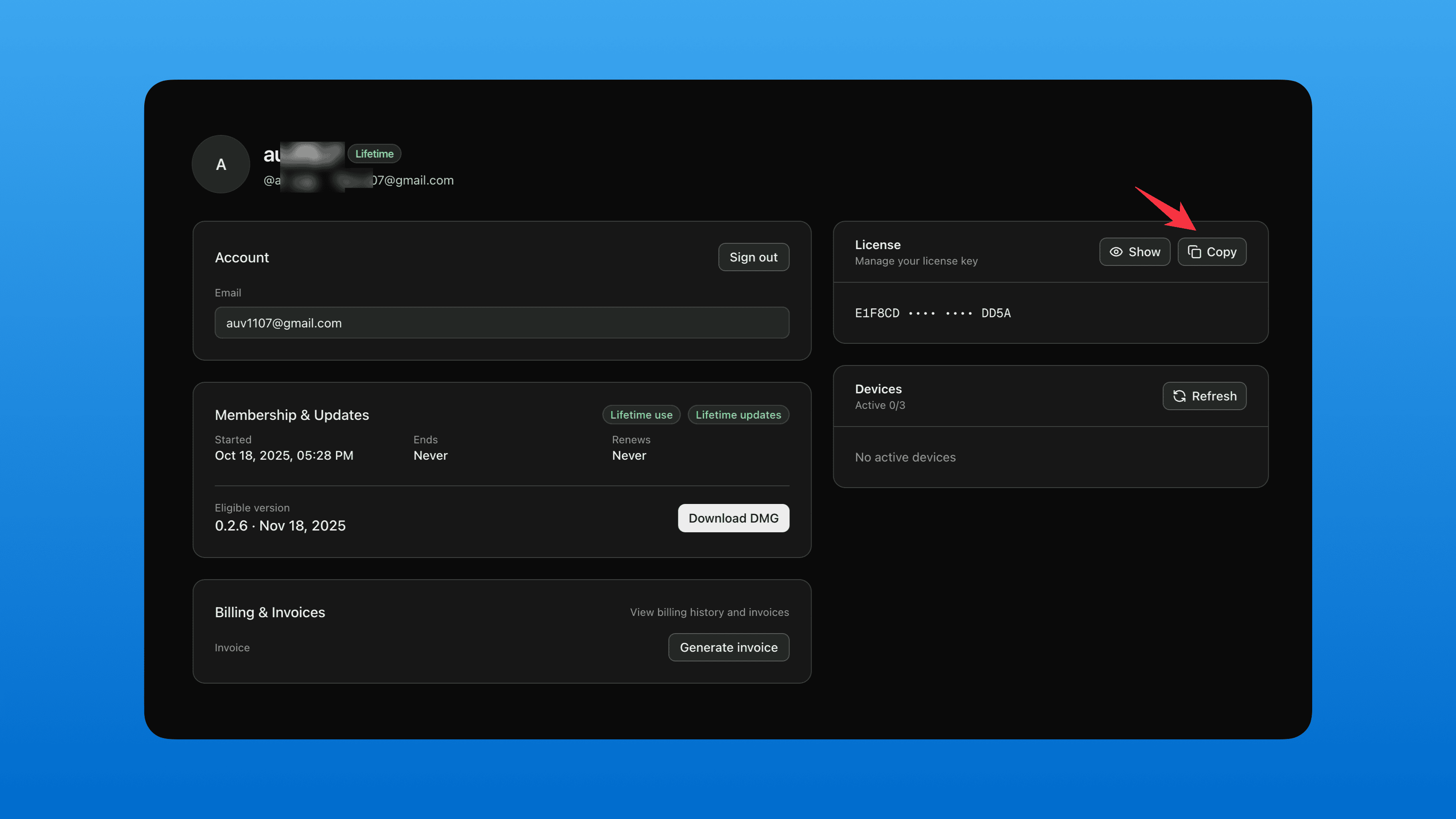
Log in to cloud.screensage.pro with your purchase email and copy your license key
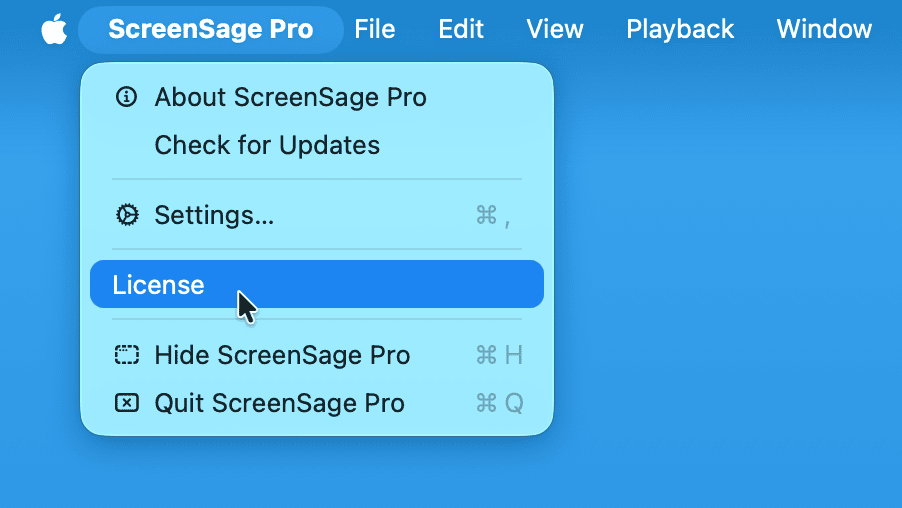
Click License in the app's menu bar
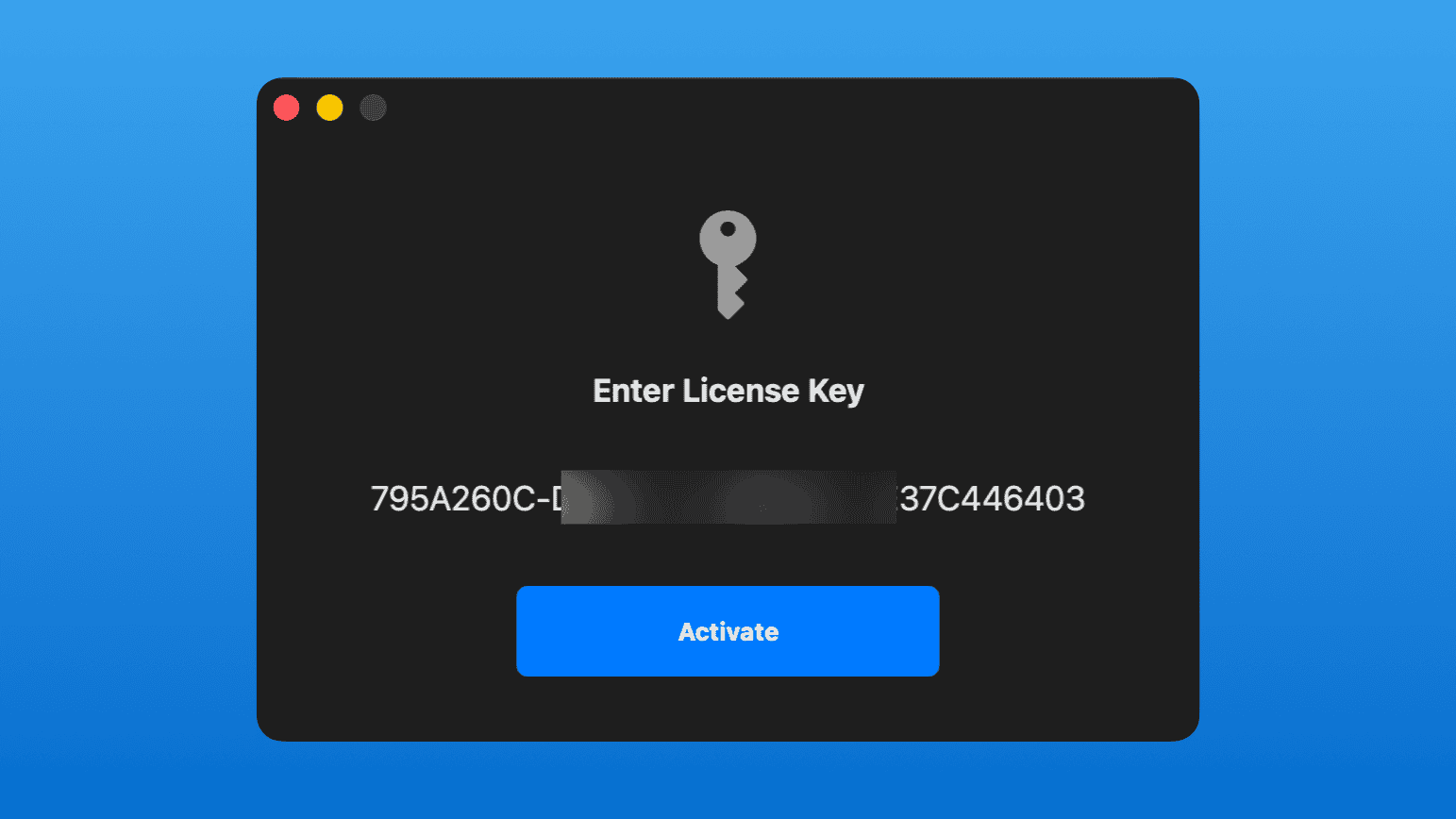
Paste your license key and click Activate
Done! You're now ready to export your creations.