 ScreenSage Pro
Blur & Redaction
Blur and redaction are used to hide sensitive content such as emails, customer names, keys, or chat messages.
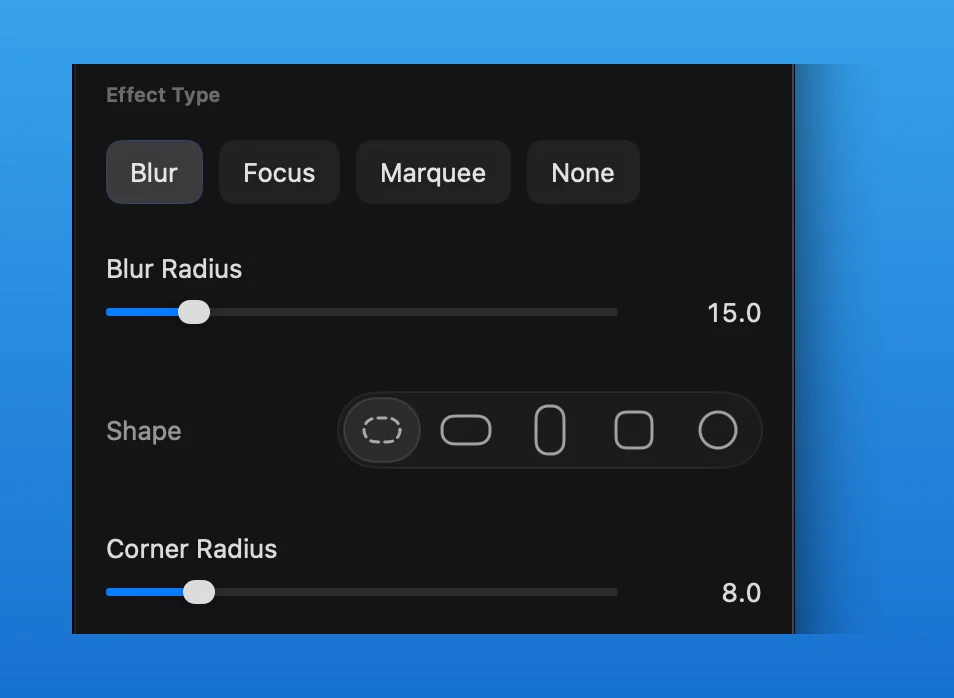
Add a Blur Mask
- Move the playhead to an empty position on the Mask Track, then insert a mask segment.
- Select the segment and choose
Blurin the Mask Inspector. - Adjust
Blur Radius, shape, and corner radius. Resize and position the mask in the preview so it covers the complete sensitive area.
Blur is a mask effect, not a separate redaction tool. The mask segment determines when the blur is visible.
Check Motion
If the page scrolls or the window moves, play the full section before export to confirm the sensitive content remains covered.