 ScreenSage Pro
Smart Captions
Smart Captions turns a selected project audio track into editable caption ranges on the timeline. Generation, text correction, display behavior, style, and subtitle delivery stay editable after transcription.
AI Transcription
Open Captions & Transcription from the editor toolbar, then prepare the transcription source.
-
Select Model Choose an installed Whisper or SenseVoice model. Use the folder button to manage the local model source when required.
-
Choose Language Keep Auto when the model can detect the spoken language, or choose the language explicitly when detection is unreliable.
-
Select Audio Track Select the composed audio source to transcribe. Projects can expose more than one track.
If unsure, click the Play icon next to the track to verify the audio content.
-
Add a Whisper Prompt when needed Whisper models can use a Prompt to improve recognition of product names, people, acronyms, or domain terms. SenseVoice does not use this field.
-
Start Transcription Click Transcribe. ScreenSage Pro analyzes the selected audio and adds caption ranges to the caption track. You can cancel an in-progress transcription without replacing the timeline with an unreviewed result.
Dual-Mode Editing
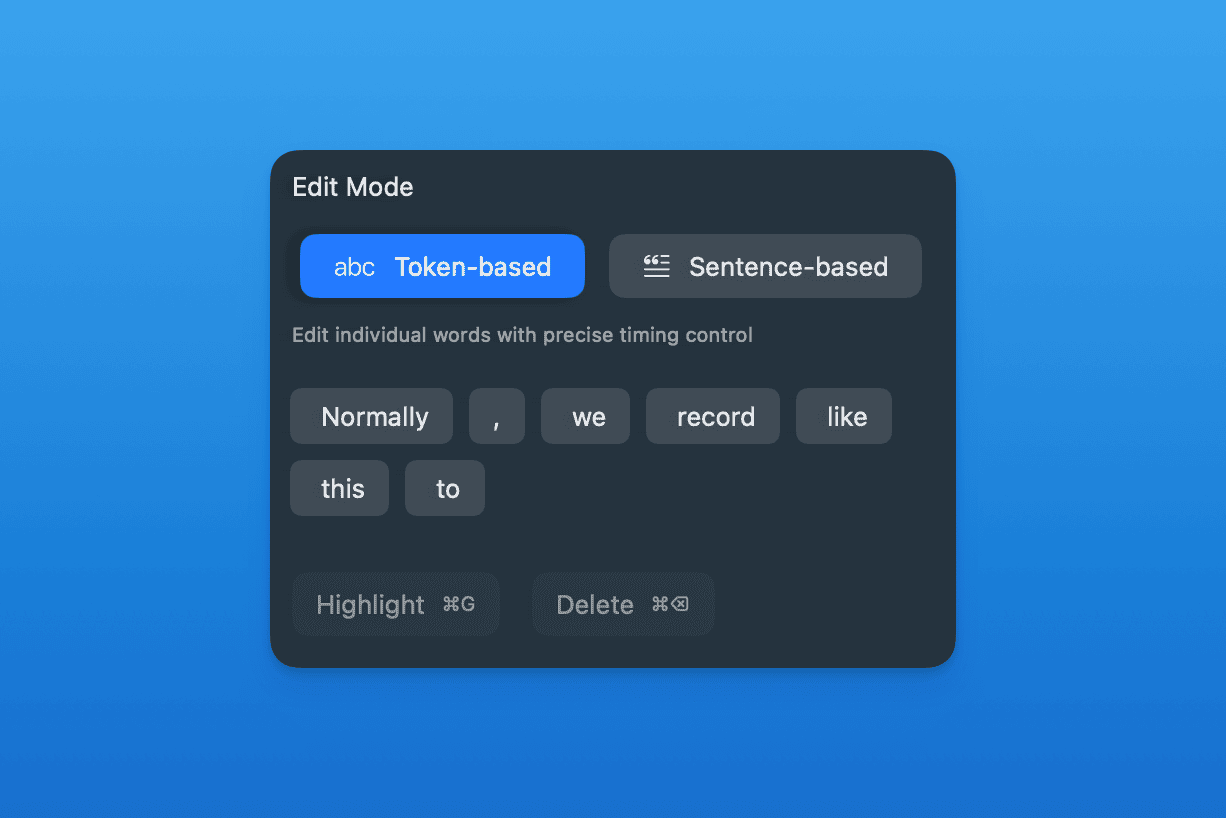
Offers two editing dimensions to meet different precision needs.
-
Token-based Editing Use token mode to correct individual words, delete a token, split content, or mark a token for emphasis. Multi-select is available when several tokens need the same deletion pass.
-
Sentence-based Editing Use sentence mode to proofread the whole caption range as continuous text. Switching from token mode changes the editing structure, so review the warning before continuing.
Display and Style
Choose the display behavior that matches the reading task:
- Sentence shows the caption as a complete sentence.
- Follow tracks the active words while preserving nearby context.
- Reveal progressively reveals the line.
- Window keeps a moving window of words on screen.
- Focus emphasizes the active word with surrounding context.
Each mode exposes its own options, such as read-ahead behavior, active emphasis, reveal duration, window size, or context-word count. Style controls include preset, font, size, top/middle/bottom position, text color, highlight color, background color, and background corner radius.
Import and Export
- Click Import Subtitle to load an existing SRT or VTT file into the caption track.
- Click Export Subtitle... to save the current captions as SRT or VTT.
- Use the audio-track download menu to export the selected composed track as M4A or WAV. This exports audio only; it does not embed caption text.